
Download and install bomingbet on your device
Android app
- Download APK directly from bomingbet website
- Works on Android 7 and later
- Offline cache for faster access
- Push notifications for live updates
iOS browser
- Access bomingbet via Safari or Chrome
- Works on iOS 12 and later
- No installation required
- Full feature parity with Android app
Installation steps for Android
- Download the APK: Visit bomingbet.app on your Android device, navigate to the App section, and tap the download button to save the APK file.
- Enable unknown sources: Go to Settings → Security → Unknown Sources and toggle it on to allow installation from sources outside the Google Play Store.
- Install the app: Open your file manager, find the downloaded APK, and tap it to begin installation. Follow the on-screen prompts.
- Launch and log in: Once installed, open the bomingbet app, enter your username and password, and you are ready to access all markets and games.
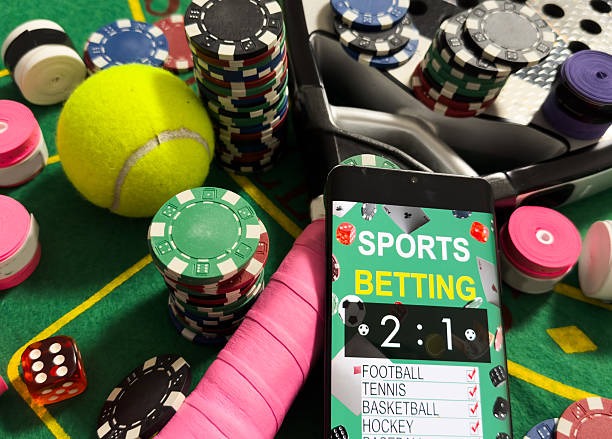
Access bomingbet on iOS
iOS users do not need to download an app. Simply open Safari or Chrome on your iPhone or iPad, navigate to bomingbet.app, and log in with your username and password. The mobile browser version is fully responsive and includes all features: sportsbook markets for Liga 1, Piala AFF, Champions League, and international football; live-dealer tables for blackjack, roulette, baccarat, and Dragon Tiger; slots like Aviator, Sweet Bonanza, Gates of Olympus, Fortune Tiger, and Mahjong Ways; and esports markets for Mobile Legends, Free Fire, and PUBG Mobile.
You can bookmark bomingbet in your home screen for quick access. On iOS, you can also add bomingbet to your home screen as a web app by tapping Share → Add to Home Screen. This creates an icon that launches the mobile site directly, giving you a near-native app experience without installation.
App vs. browser: which should you use?
The Android app offers offline caching, which means some pages load faster on repeat visits, and push notifications alert you to live market updates and account activity. The iOS browser version offers the same full feature set but without offline cache or native notifications. Both paths are equally secure; your login credentials are encrypted, and your account data is never stored on your device. Choose whichever fits your workflow: Android users benefit from the app's speed and notifications, while iOS users enjoy instant access without installation.
Device compatibility and system requirements
The bomingbet Android app requires Android 7.0 or later. Most devices sold in the last five years meet this requirement. If you are unsure, go to Settings → About Phone and check your Android version. iOS users need iOS 12 or later, which covers all iPhone models from iPhone 5s onwards and all iPad models from iPad Air onwards. Both the app and browser version work on phones and tablets.

Troubleshooting common installation issues
If you see a warning that the app is from an unknown source, this is normal for APK downloads outside the Google Play Store. We do not distribute through the Play Store because of regional restrictions. To proceed, tap Install Anyway or Allow. If your device blocks the installation due to a security certificate, go to Settings → Security → Certificate Trust and ensure that your device allows installation from trusted sources. If the download fails, check your internet connection, clear your browser cache, and try again. If you continue to experience issues, contact our support team through the help section in your account dashboard.
Data, permissions, and account security
The bomingbet app requests permission to access your device's internet connection, which is required to connect to our servers and process your account activity. We do not request access to your contacts, photos, location, or other personal files. Your login credentials are encrypted in transit and never stored in plain text on your device. When you log out, your session is cleared. If you lose your phone, your account remains secure because access requires your username and password. We recommend enabling two-factor authentication in your account settings for additional security. Your account data—name, email, phone number, payment details, and transaction history—is stored on our encrypted servers and is never shared with third parties except as required by law or to process payments through DANA, e-wallet, mobile banking, local payment, online payment, or your chosen bank.
Key app features on bomingbet
- Full sportsbook access: Liga 1, Piala AFF, Champions League, Premier League, MotoGP, badminton
- Live-dealer tables: blackjack, roulette, baccarat, Dragon Tiger from professional studios
- Slot games: Aviator, Sweet Bonanza, Gates of Olympus, Fortune Tiger, Mahjong Ways
- Esports markets: Mobile Legends, Free Fire, PUBG Mobile with live settlement
- Local payment methods: e-wallet, mobile banking, local payment, online payment, e-wallet, mobile banking, local payment, online payment, e-wallet, mobile banking
- Account verification: KYC approval within one business day
- Withdrawal processing: approved withdrawals processed within one business day